



Automating Global Tracking of Shipping Containers
In Brief
Automating logistics for accurate and up-to-date information
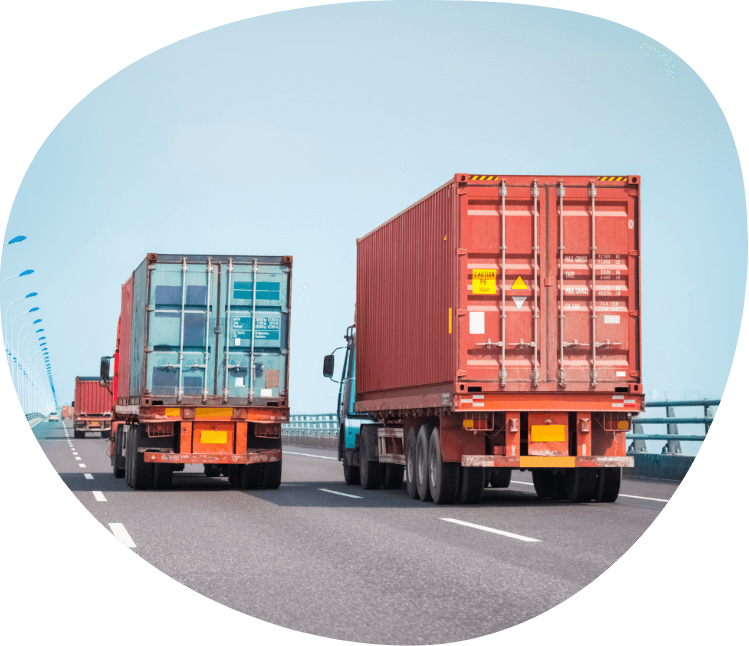
Dunavant, a global logistics and supply chain management company, transports over 10,000 shipping containers per month. Its employees were manually collecting information from 22 terminal websites once per hour. This process was not only time-consuming but was also prone to errors.
Resource Data developed DunTracking, a custom system that automates the data collection and entry process. As a result, Dunavant has achieved significant time and cost savings.
Key Takeaways
10,000 containers automatically tracked, for significant time and money savings
-
Automation balanced with a human review for accuracy
Shipping container information lacks standardization across terminals. Intricate rules for data analysis automated updates and identified discrepancies for quick resolution.
-
Powerful web browsing software for efficiency
Selenium, a robust web browsing tool, sifts terminal websites for specific data, enhancing both efficiency and precision in data collection.
-
Data conversion to correctly handle discrepancies
Data inconsistencies such as misspellings, abbreviations, or variations across termin systems and locations are consistently addressed and converted accurately—every time.
-
Merging techniques for seamless system integration
Despite variations in tracking methodologies at different terminals, a blend of querying and interfacing techniques ensured smooth integration with Dunavant’s truck management system.

The Challenges
Manually updating statuses of thousands of containers worldwide
Dunavant transports more than 10,000 shipping containers a month via truck. It relies on accurate, up-to-date information on these containers as they travel through ports and railroad yards (i.e., terminals) to know when and where to send their trucks.
Employees collected information from individual terminal websites once per hour and then manually entered data into Dunavant’s core system for truck management. This manual data entry was time consuming and error prone. They needed automation.
Dunavant needed a solution that could extract the data automatically and convert it into a format Dunavant’s existing truck management software would accept. Unfortunately, transportation terminals handling the containers tracked by Dunavant employ diverse terminology and tracking methods. At any time—and without announcing it—terminals may introduce new container types or rename vessels. And because Dunavant lacks control over the data, automatically extracting information from these terminal websites was particularly challenging.
The Solution
DunTracking, an automated system for efficient, accurate data collection and processing
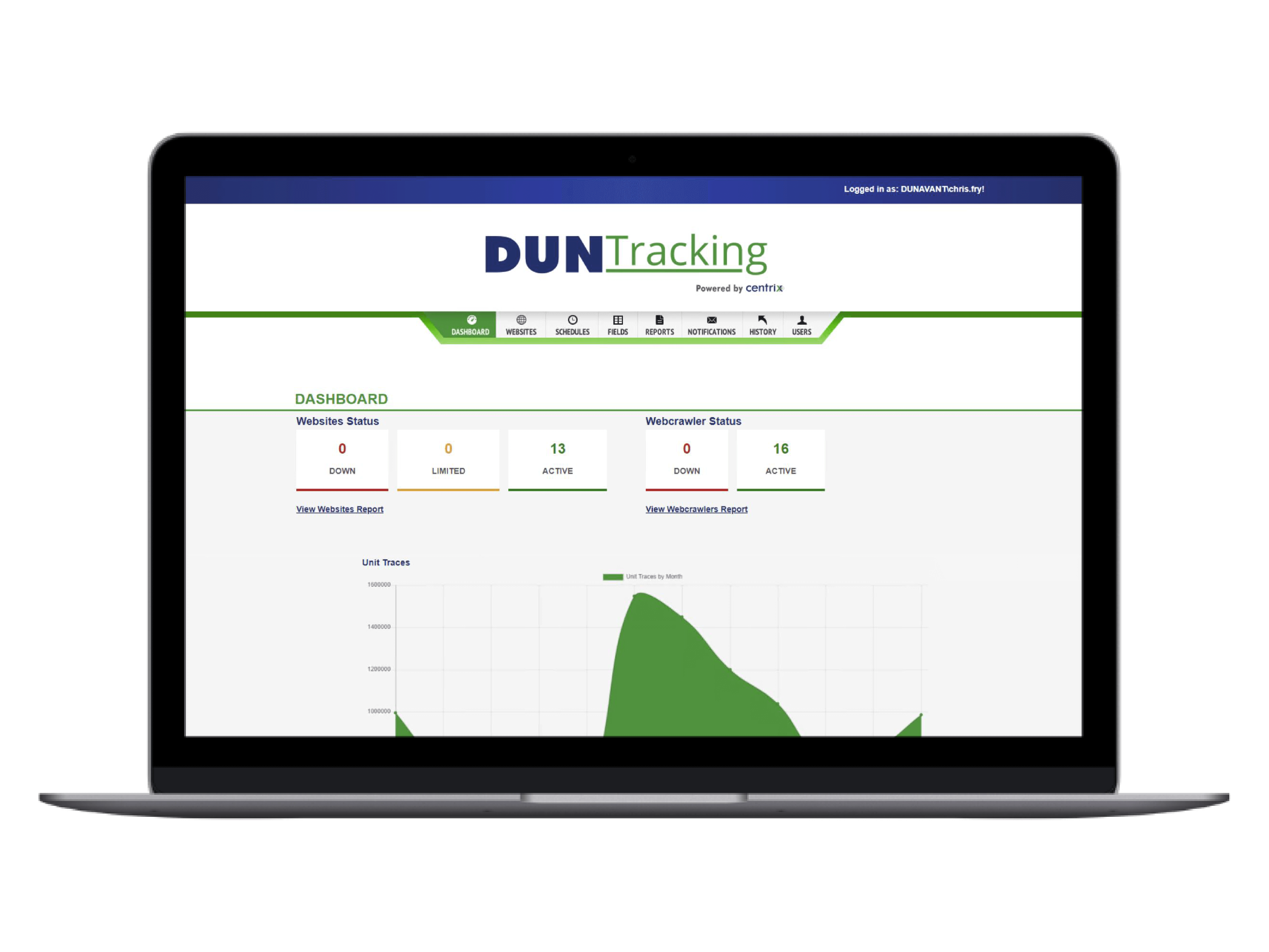
We designed and developed DunTracking to streamline Dunavant’s pickup and delivery logistics. Every 30 minutes, this software automatically extracts the required information from over twenty terminal websites and transforms it into a format Dunavant’s truck management system, TruckMate, accepts. Using complex business rules, discrepancies are automatically updated or reported to Dunavant for review and manual action.
“In one instance, DunTracking traced 489 containers in about 35 minutes. Imagine the amount of time it would take for someone, even two, even four people, to do that.”
Chris Fry, Sr. Programmer
Features
Transforming logistics with automated data collection and the right amount of human intervention.
-
Advanced Scheduling for real-time information
DunTracking leverages advanced scheduling technology to ensure the most up-to-date information. The application is programmed to launch every 30 minutes, seamlessly combing through terminal websites for relevant data.
-
Efficient web-browsing automation for comprehensive container tracking
The system innovatively utilizes Selenium, a robust web browsing automation software, to scrape data from 22 terminal websites, tracking down containers efficiently and without manual intervention.
-
Automated Reporting for instant updates
DunTracking automatically generates and dispatches reports that provide a quick overview of any modifications made to a container, keeping Dunavant perpetually informed about important changes.
-
Customized Rules for consistent data handling
The system is designed with custom rules to manage the diverse ways terminal and operations language might be entered, ensuring that data for TruckMate is always converted in an uncompromisingly consistent manner.
-
User-friendly Dashboard for simplified workflow and control
The system is designed with custom rules to manage the diverse ways terminal and operations language might be entered, ensuring that data for TruckMate is always converted in an uncompromisingly consistent manner.

Results
Focusing on what matters most
DunTracking saves Dunavant customer service representatives hours of manual searches and updates, improves their data quality, and allow Dunavant to focus their efforts on more critical tasks.




Case Study FAQ
Automated container tracking reduces manual work by collecting status information from terminal systems on a scheduled basis and preparing it for the company’s operating software. Instead of a company needing to ask its employees to search multiple websites every hour, automation can help a company gather container updates, normalize the data, and flag anything that needs review.
In this case study, Dunavant was transporting more than 10,000 shipping containers per month, and employees were collecting information manually from 22 terminal websites every hour. Resource Data developed DunTracking to extract required information automatically every 30 minutes and transform it into a format Dunavant’s truck management system could use.
The results are significant time savings and better use of staff. Customer service representatives spend less time on repetitive searches and updates, which gives them more capacity to focus on exceptions, customers, and higher value logistics work.
Accurate container status data matters because trucking teams need to know when and where containers are ready before they send drivers to ports, rail yards, or other terminals. If the data is delayed, inconsistent, or wrong, trucks may be dispatched inefficiently, or teams may spend extra time correcting the schedule.
Resource Data’s Dunavant case study explains that Dunavant relies on up to date information as containers move through ports and railroad yards, so the company knows when and where to send trucks. Before DunTracking, employees gathered that information and entered it into TruckMate, Dunavant’s core truck management system.
The operational impact is improved dispatch confidence and fewer wasted steps. Better container visibility helps logistics teams make faster pickup and delivery decisions while reducing the risk created by outdated or manually entered data.
Automation creates cost savings in high volume container operations by reducing the labor required to search, interpret, and enter container information across many terminal websites. The savings grow when the same repetitive process happens frequently for thousands of containers each month.
In Resource Data’s Dunavant case study, DunTracking traced 489 containers in about 35 minutes in one example. The case study contrasts that with the amount of time it would take one person, or even several people, to gather the same information manually.
Automated collection lets the team process more container updates without expanding manual staffing in proportion to volume, while keeping human review available for discrepancies and exceptions.
Container tracking automation should include human review because transportation data changes frequently, and some discrepancies can’t be resolved safely by rules alone. Automation is strongest when it handles repetitive collection and conversion while routing unusual, unclear, or risky cases to people for review.
Resource Data’s Dunavant case study describes a balanced approach. DunTracking uses complex business rules to update container information automatically when the system has enough confidence, but discrepancies are reported to Dunavant staff for review and manual action. This gives the team efficiency without removing operational judgment.
This solution improves accuracy with control. Employees don’t have to review every routine update manually, but they can intervene when terminal data changes, conflicts, or does not match the expected business rules.
Logistics teams can manage inconsistent terminology by creating custom conversion rules that translate terminal specific language into the standardized format their internal systems require. This matters because different terminals may use different names, abbreviations, spellings, vessel references, or tracking methods for similar container events.
In Resource Data’s Dunavant case study, terminals used diverse terminology and could introduce new container types or rename vessels without warning. DunTracking was designed with customized rules to manage those variations and convert information into the consistent format TruckMate would accept.
Results include better data quality and fewer manual corrections. When inconsistent external data is handled consistently before it reaches the operating system, teams spend less time reconciling differences and more time managing logistics exceptions.
Automated reports help logistics teams respond faster by summarizing important changes and exceptions without requiring staff to inspect every terminal website manually. A good report gives users a quick view of what changed, what was updated, and what may need attention.
Resource Data’s Dunavant case study describes automated reporting as one of DunTracking’s features. The system generates and sends reports that provide a quick overview of modifications made to a container, which keeps Dunavant staff informed about important changes in the tracking process.
Teams can focus attention on relevant changes instead of spending time searching for them. This supports quicker decisions around pickup, delivery, and customer communication.
A user friendly dashboard gives logistics staff a simpler way to monitor automated tracking, review exceptions, and maintain control over the workflow. Automation is more useful when users can see what the system is doing, understand what needs attention, and act without digging through raw terminal pages.
In this case study, DunTracking included a user friendly dashboard to simplify workflow and control. The system combined automated data collection, custom rules, reporting, and human review so Dunavant could manage container updates more efficiently.
A clear dashboard helps employees trust and use automation, which turns the system into a practical daily workflow tool.
Web browsing automation can collect data from terminal websites by programmatically visiting sites, searching for container records, extracting relevant status information, and passing that data into downstream business logic. This approach is useful when external websites do not provide a single standardized feed or integration method.
In Resource Data’s Dunavant case study, DunTracking uses Selenium, a web browsing automation tool, to comb through terminal websites and scrape the data needed for container tracking. The system was built to gather information from 22 terminal websites every 30 minutes without manual intervention.
The benefits are faster and more consistent data collection. Logistics teams get regular updates from many external sources without asking employees to repeat the same website searches throughout the day.
Integrating terminal data with TruckMate is challenging because terminal websites may present information in different formats, use inconsistent terminology, and change names or container categories without warning. The integration has to transform outside data into a format the internal truck management system can accept reliably.
In this case study, DunTracking extracts data from terminal websites and converts it to Dunavant’s TruckMate system. Because Dunavant does not control the external terminal data, the system uses a mix of querying, interfacing, and conversion techniques to handle variations across sources.
The business impact is smoother system integration and fewer disruptions. TruckMate receives cleaner, more consistent data, which helps Dunavant maintain accurate container status information inside its core logistics platform.
Custom business rules are important because logistics data often includes exceptions, inconsistent labels, and operational context that generic automation cannot interpret correctly. Rules help decide when data can be updated automatically, when values need conversion, and when a discrepancy should be sent to a person to check.
In Resource Data’s Dunavant case study, DunTracking uses complex business rules to update discrepancies automatically where appropriate or report them to Dunavant staff for manual action. The system also applies customized rules to convert terminal and operations of language into a consistent format for TruckMate.
Business rules let automation handle high volume routine work while protecting the workflow from unreliable updates, unfamiliar terminology, or changes that need human judgment.
Automated scheduling keeps container data more current by running collection jobs at regular intervals without waiting for staff to initiate searches. In a high volume logistics environment, scheduled updates are important because container availability and status can change throughout the day.
Resource Data’s Dunavant case study states that DunTracking launches every 30 minutes to extract required information from more than 20 terminal websites. This replaced a manual process where employees collected information from individual terminal websites once every hour.
The outcome is more timely information for dispatch and customer service. More frequent automated updates help teams make decisions from current data, reduce manual checking, and respond faster when container status changes.